
Live floor plan
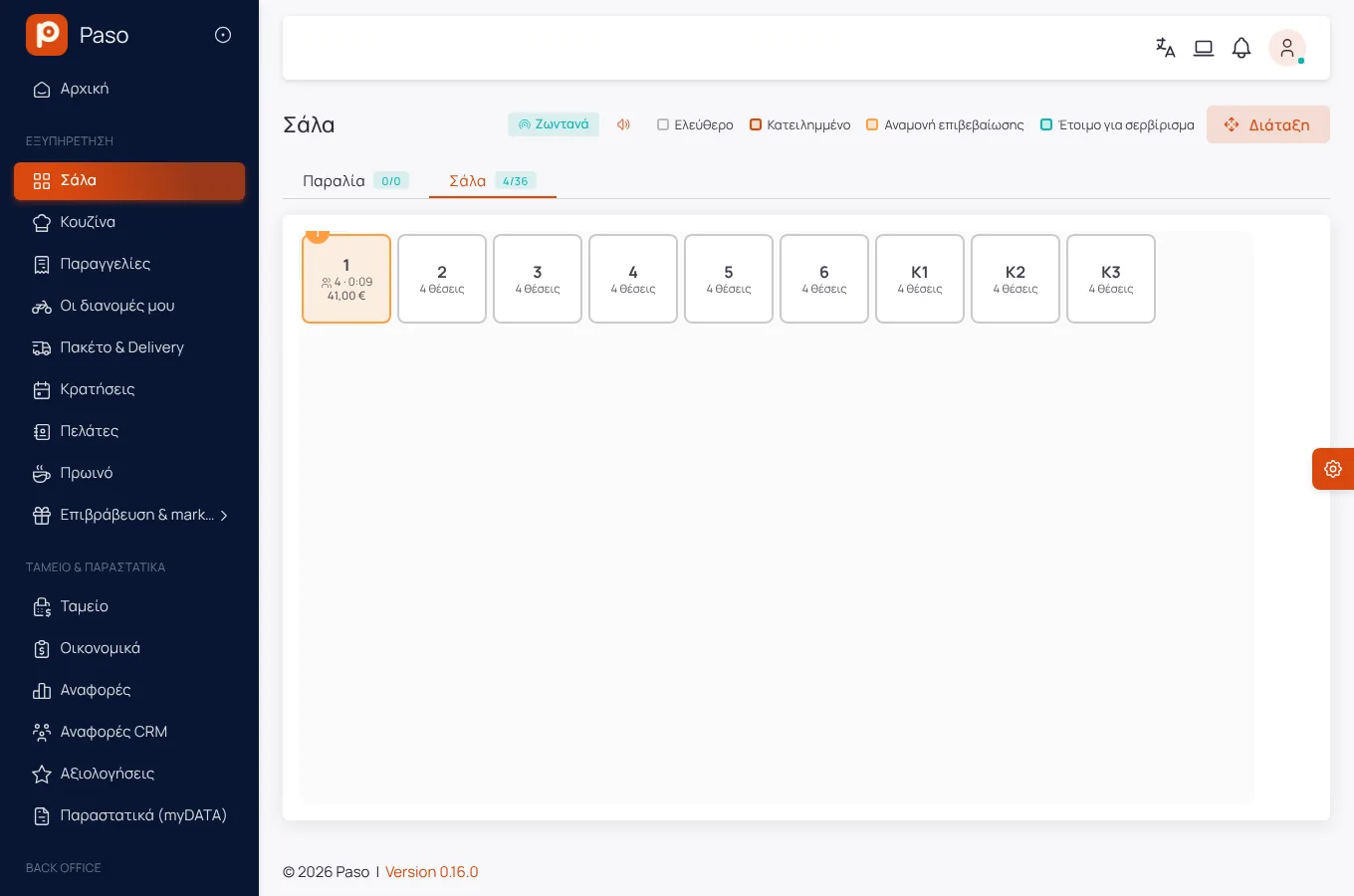
Set up each area by dragging tables: dining room, yard, terrace, beach, with sunbeds, cabanas and bar seats. The plan shows which table is free, which waits for a QR order to be confirmed and which has dishes ready to serve.
Modules Core POS
Core POS
The Core POS is in every package. The waiter takes the order on a phone, the kitchen sees it at its station and the bill closes with a receipt in myDATA. Every screen updates at the same moment.
Edited from real screenshots of the app.
What it does
Set up each area by dragging tables: dining room, yard, terrace, beach, with sunbeds, cabanas and bar seats. The plan shows which table is free, which waits for a QR order to be confirmed and which has dishes ready to serve.
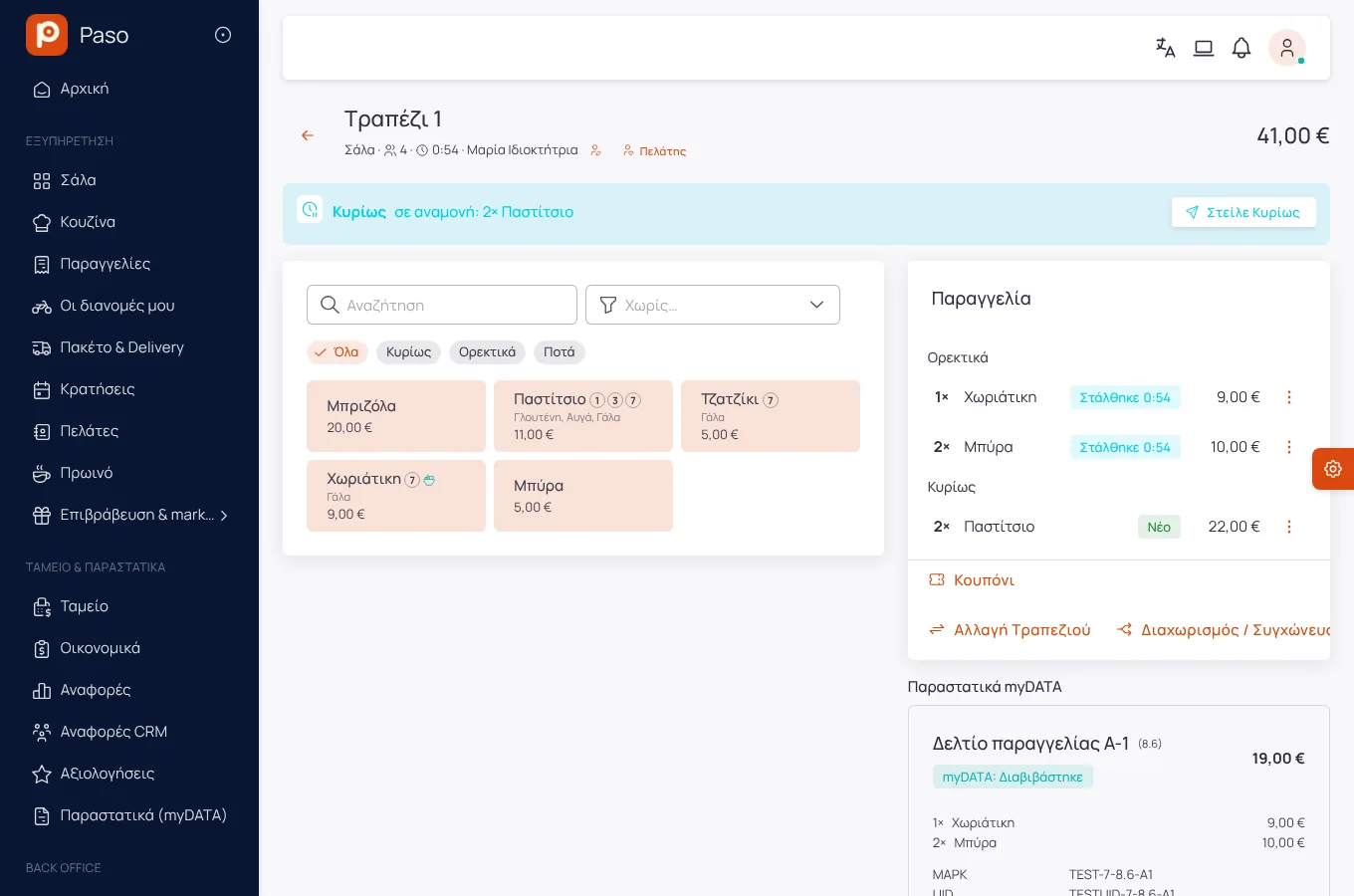
Cooking options and extras with minimum and maximum choices, notes per dish and courses: mains wait until the waiter fires them. A dish that ran out is marked sold out from the floor or the kitchen.
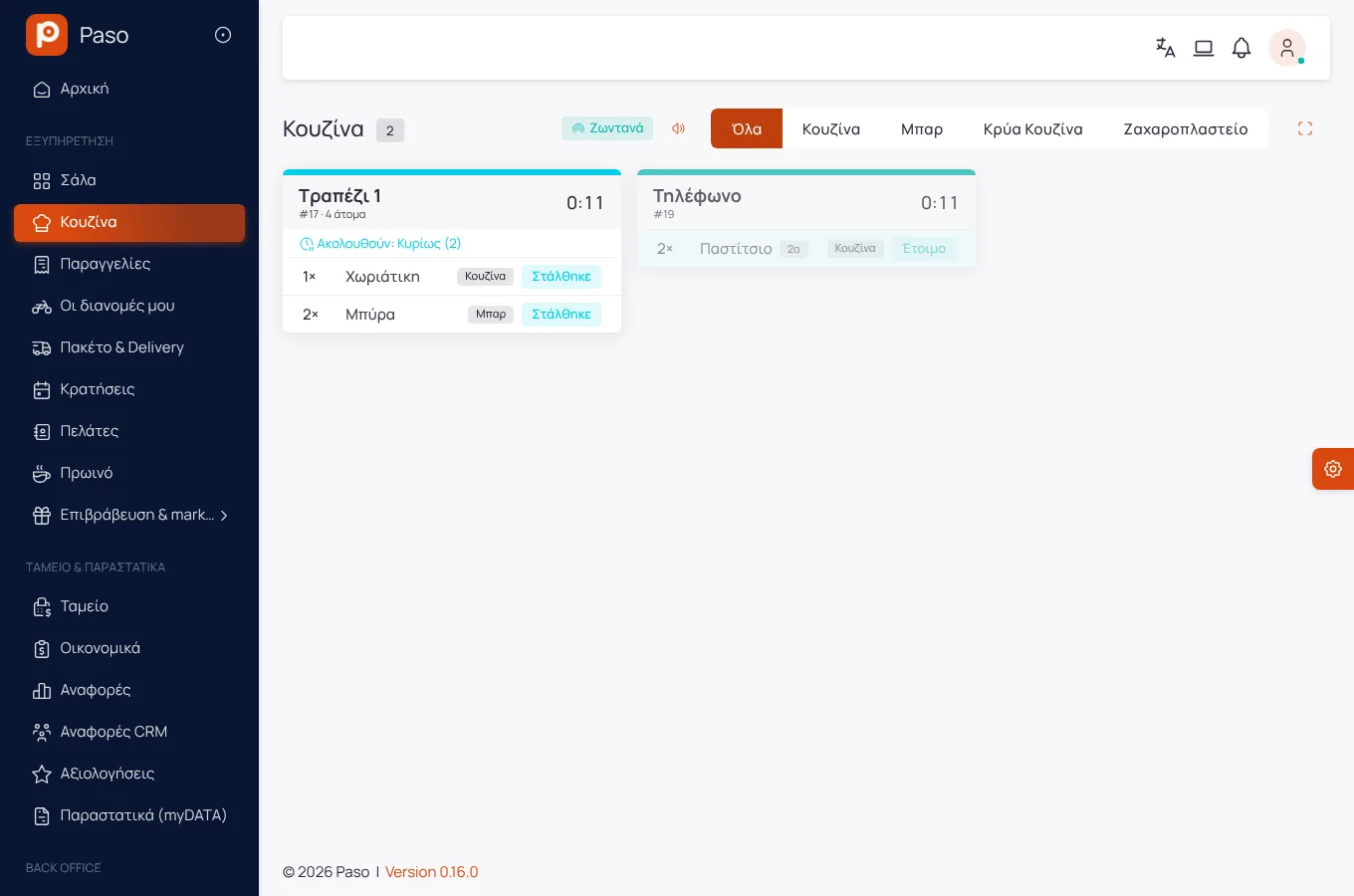
Every dish goes to its station: hot, cold, bar, pastry. Each ticket has a timer and anything past its preparation time stands out. Any station can also get its tickets on a thermal printer.
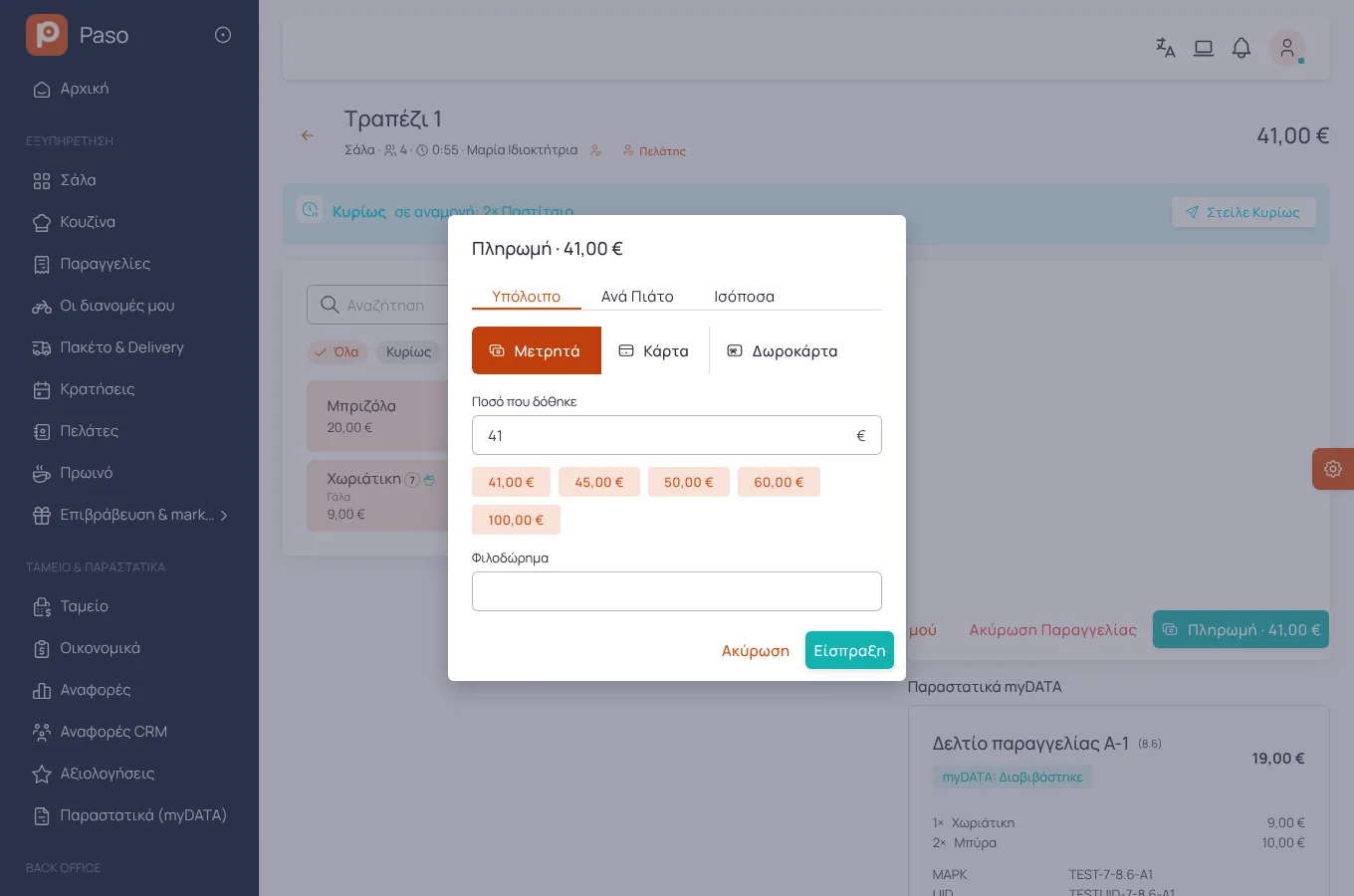
Split the bill, merge tables, move a party, discounts and treats with a reason and limits per role, voids with a reason, and the full history of the bill.
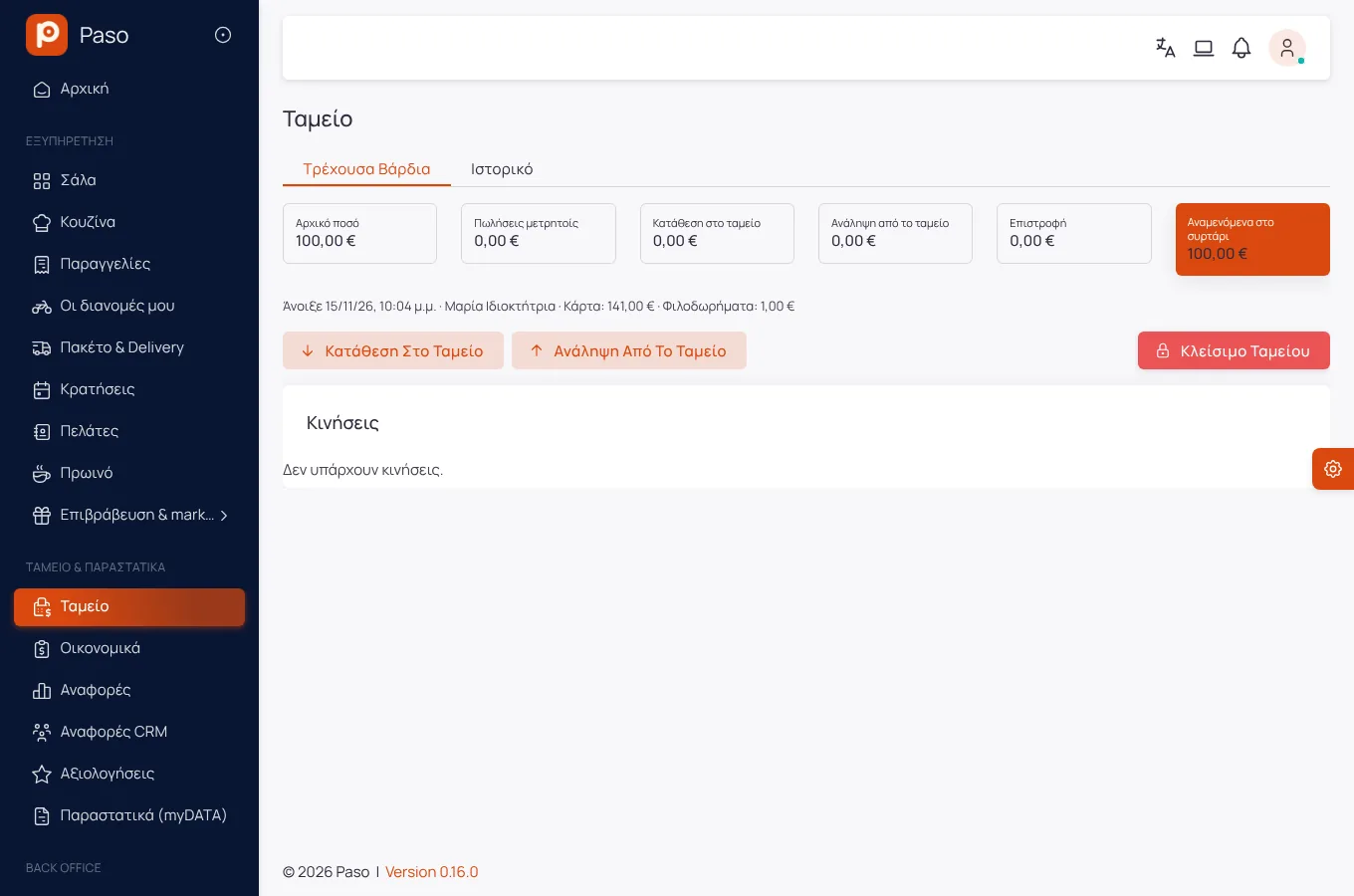
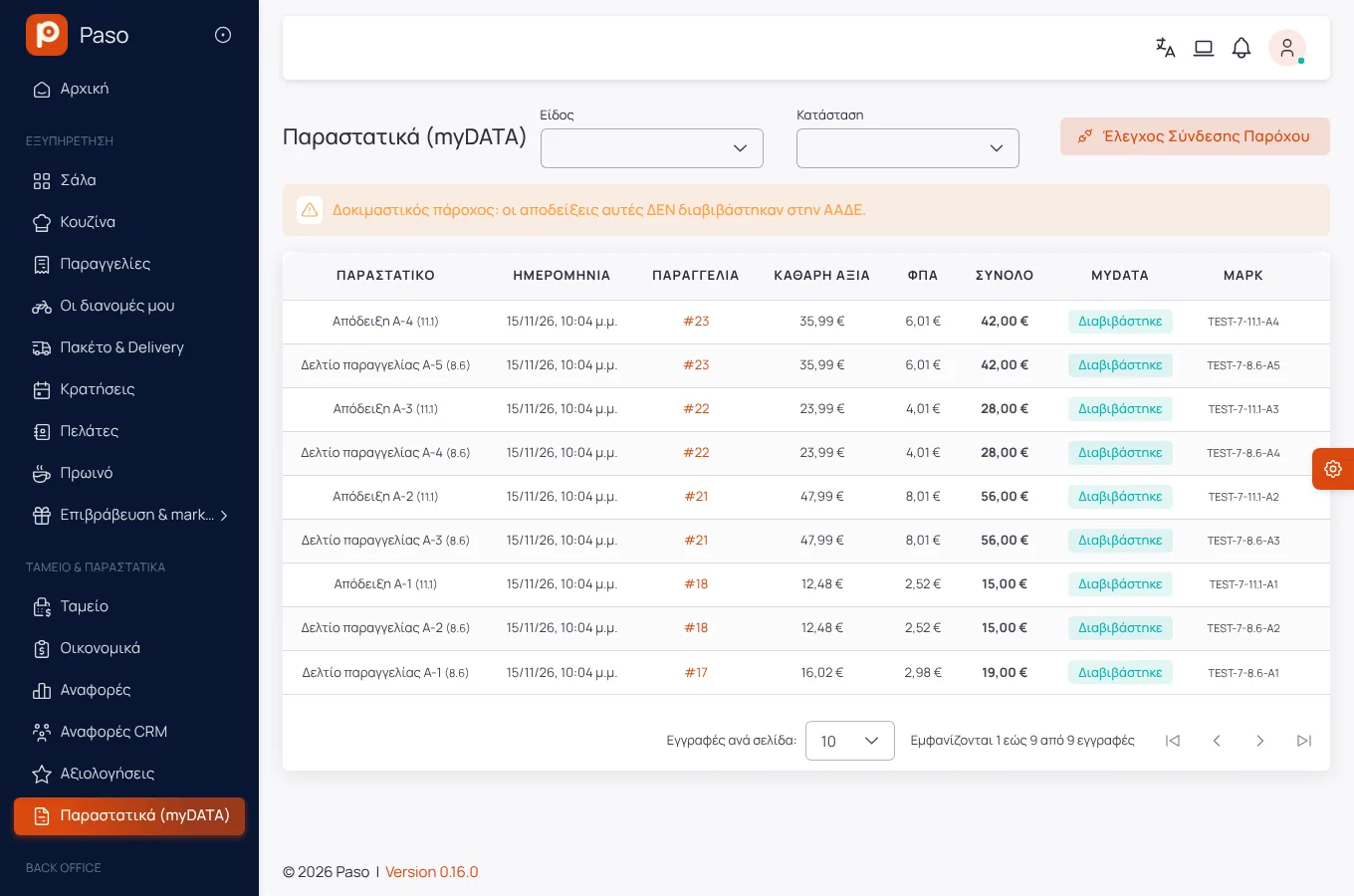
A shift till with opening, takings, pay-outs and X/Z closing. Receipts, invoices and restaurant order slips (8.6) are transmitted to myDATA through a certified provider, with retries when the connection drops.
Set for how many minutes after payment a table shows as "Being cleaned", with a countdown. Meanwhile it is not proposed to a new party; a waiter frees it early with one tap, "It is ready".
Getting started
By hand, from a file, or by photographing your printed menu: Paso reads categories, dishes and prices and you check them before they are saved.
Areas and tables, kitchen stations, users and roles. One trial service is enough for the team to learn it.
From the first order, the kitchen, the till and the reports see the same data.
Screens
Screenshots from a demo store.
Frequently asked
Orders the waiter takes are queued on the device and sent once the connection is back, each exactly once. Payments and receipts need a connection.
No. A tablet, phone or computer with a browser. For printing, network or USB ESC/POS thermal printers through a small program in the store.
Enter your menu (or take a photo of your printed price list) and run a real day on Paso. 14 days free.