
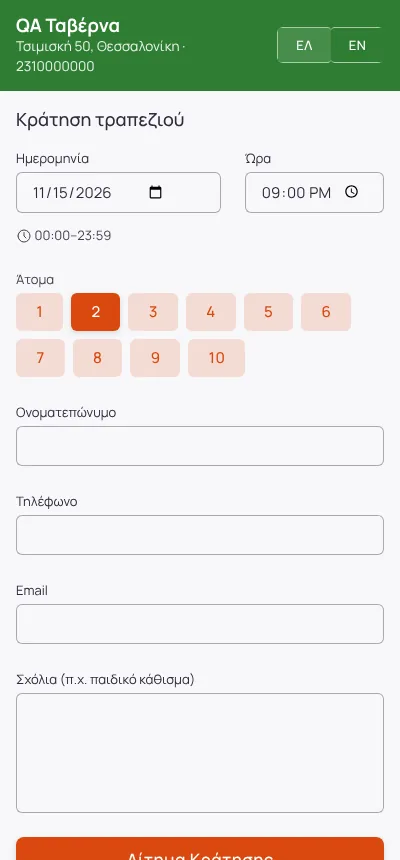
Online booking page
A page with your name and colours for your site and socials. It only shows times that really fit, from your opening hours, closed days and tables.
Modules Reservations
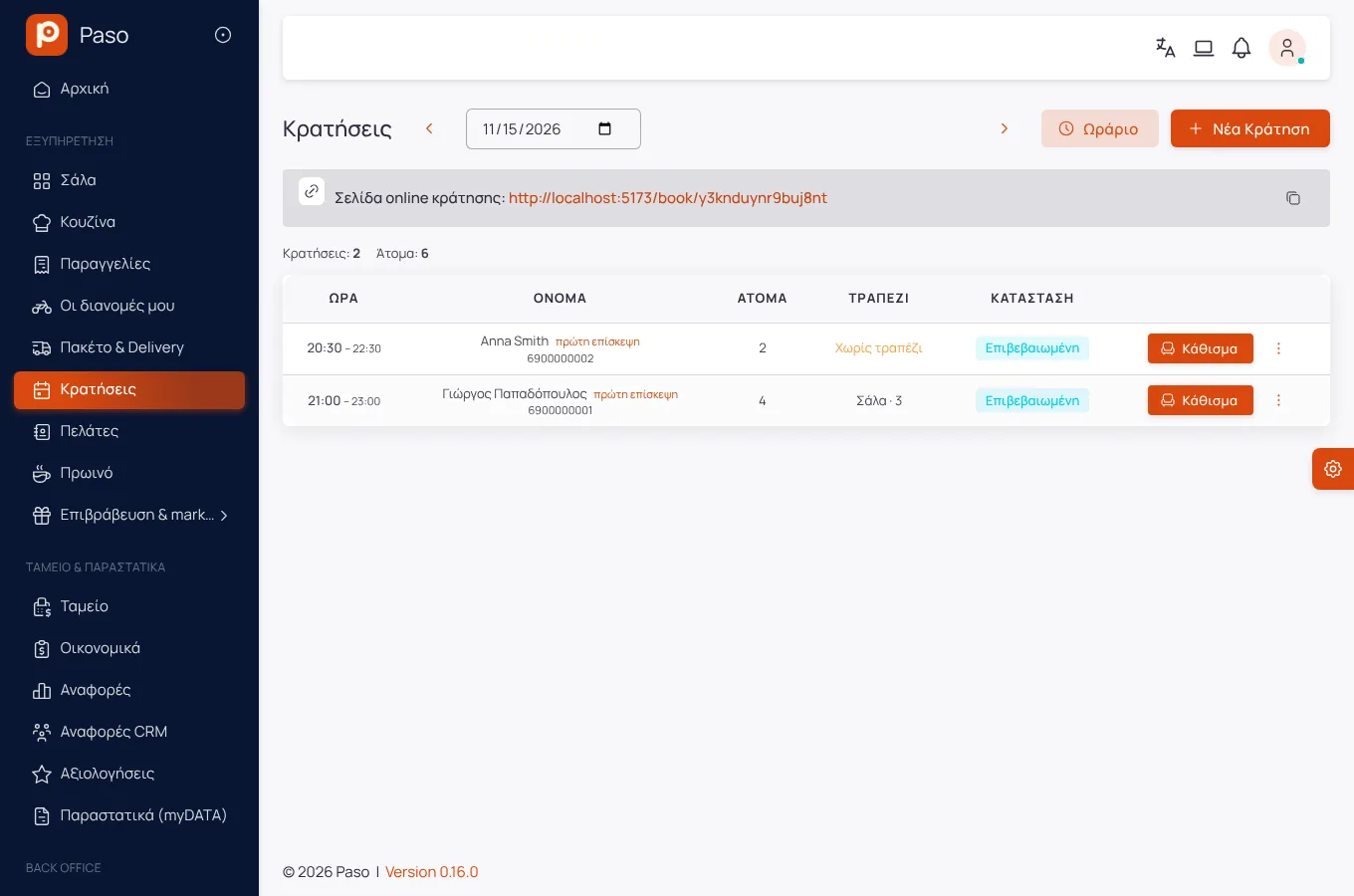
Reservations
Phone, door, online page or a WhatsApp chat: every reservation lands in the same book and shows on the floor plan.
Edited from real screenshots of the app.
What it does
A page with your name and colours for your site and socials. It only shows times that really fit, from your opening hours, closed days and tables.
A reservation takes the smallest table that fits it. For large parties the table combinations you defined are used. Duration and the gap between two reservations are yours to set.
The guest writes "a table for 4 tomorrow at 9" on the page or on WhatsApp. The AI agent checks availability and sends a request; you give the confirmation.
A reminder the day before and an attendance confirmation a few hours ahead. What is not confirmed in time is released, if you choose so, and offered to the waitlist.
An amount per person with a floor and a ceiling, from the party size you choose, paid online when booking.
Arrival, walk-in, moving a party and blocking tables for a private event, all from the floor plan. The bill opens with the arrival.
Getting started
Opening hours, closed days, which areas take online bookings.
On your site, Instagram, Google.
Requests arrive in the book; the rest happens by itself.
Screens
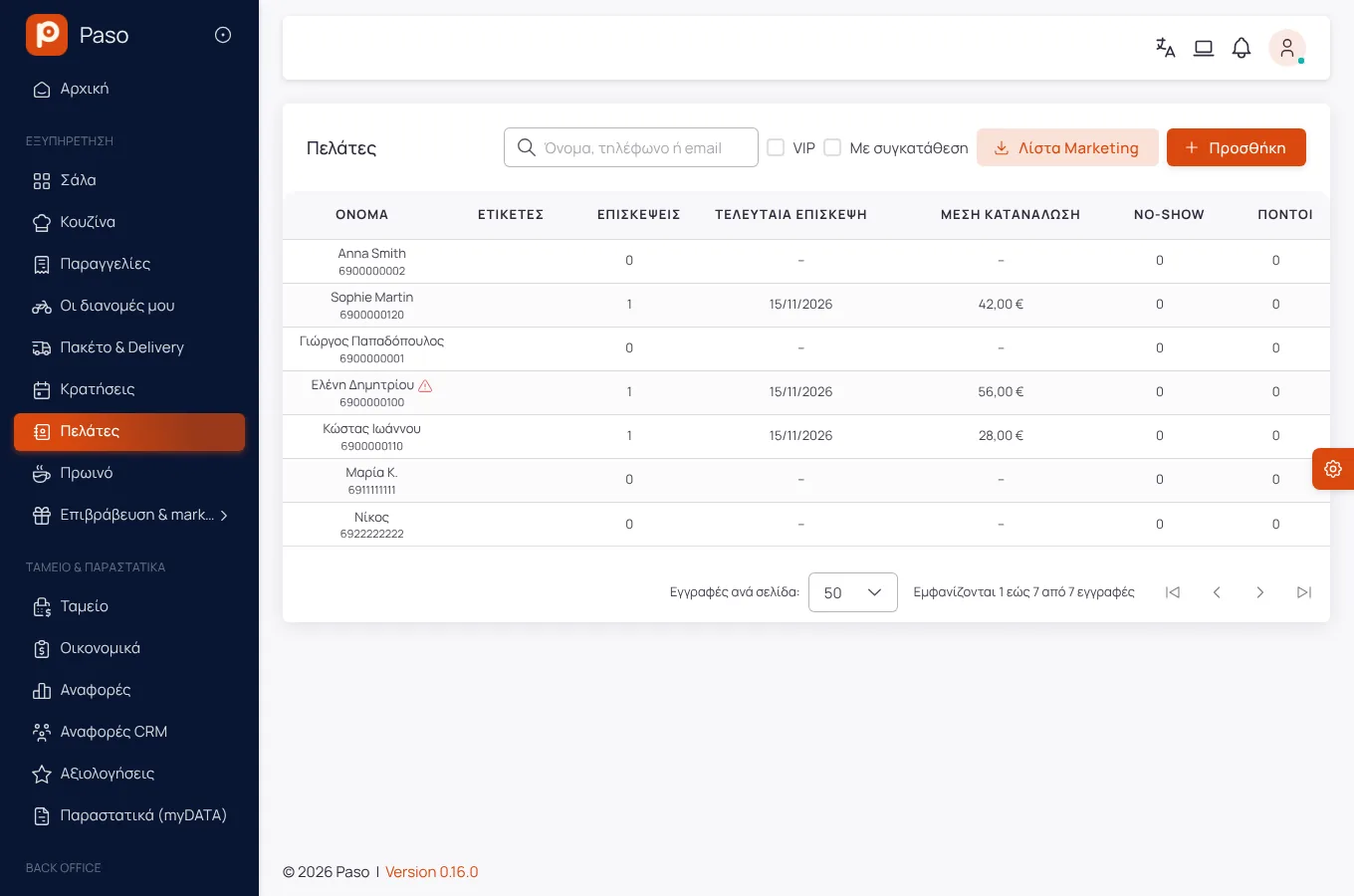
Screenshots from a demo store.
Frequently asked
Yes, from the link of their reservation, up to as many hours before as you set.
Nearby times are proposed, and the guest can join the waitlist. When a table frees up they get an offer with a time limit.
Enter your menu (or take a photo of your printed price list) and run a real day on Paso. 14 days free.