
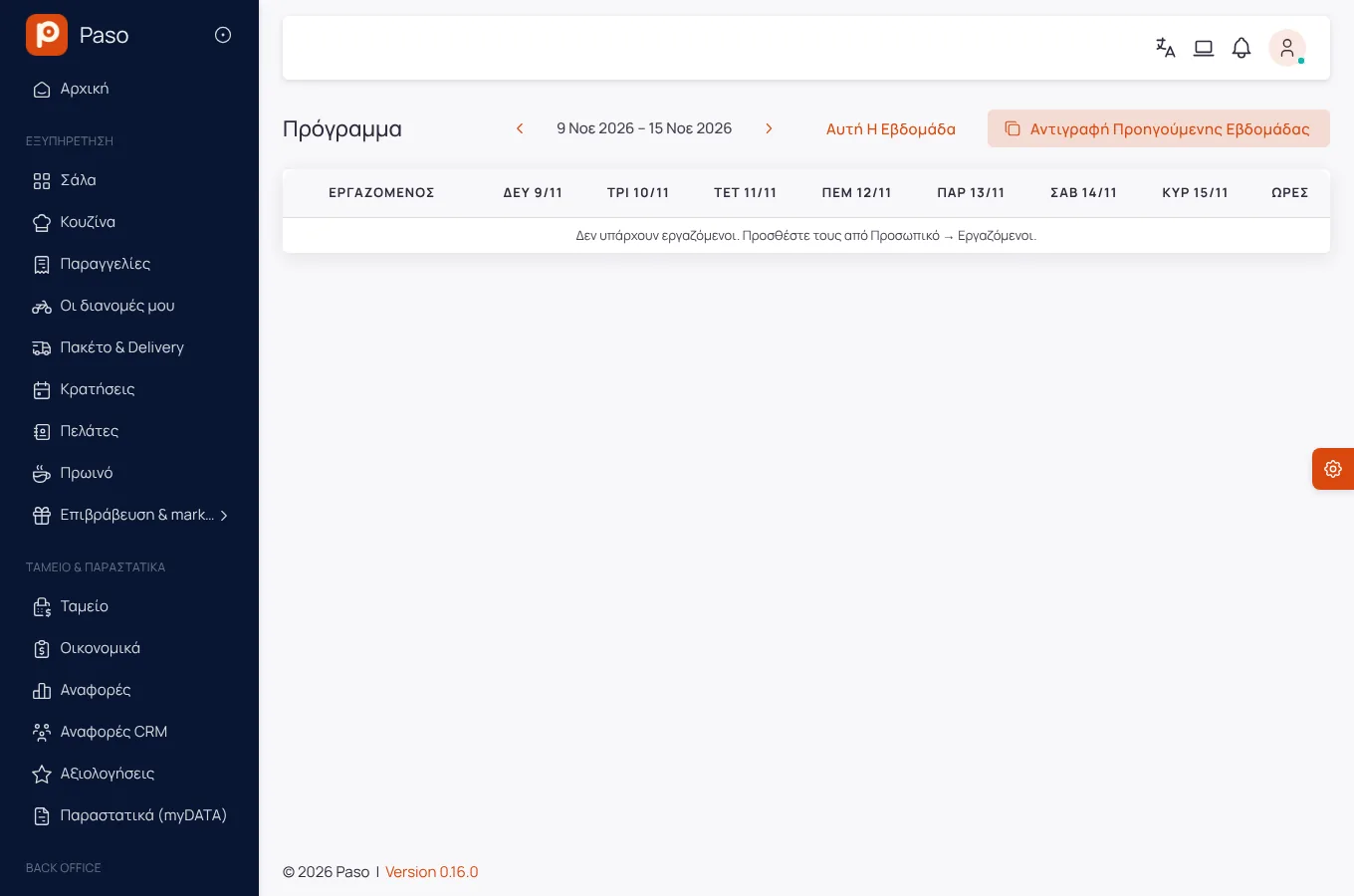
Suggested week
From the hourly traffic of past weeks and the reservations, Paso suggests shifts per position with 11 hours of rest. You apply the ones you want.
Modules Staff & shifts
Staff & shifts
Shifts, attendance and labour cost next to sales. Employees see their shifts and clock in from their phone.
Screen recording of the app, with demo data.
What it does
From the hourly traffic of past weeks and the reservations, Paso suggests shifts per position with 11 hours of rest. You apply the ones you want.
Set a weekly budget, in total and per position. The schedule shows "€x of €y" from paid hours and hourly cost, and warns when you go over.
Build the week as a draft and publish it when ready. Employees are notified, and every change to a published shift reaches their phone.
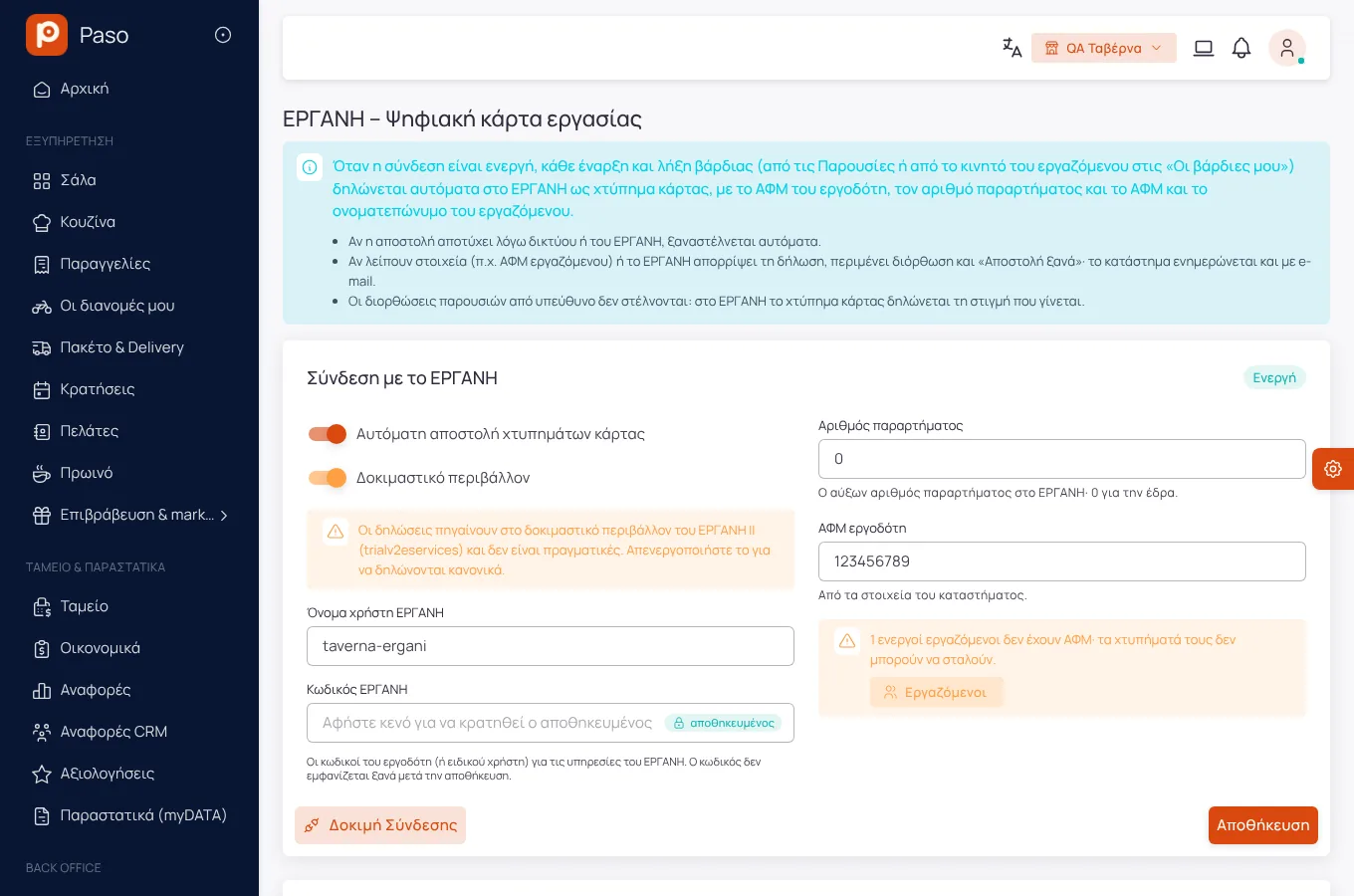
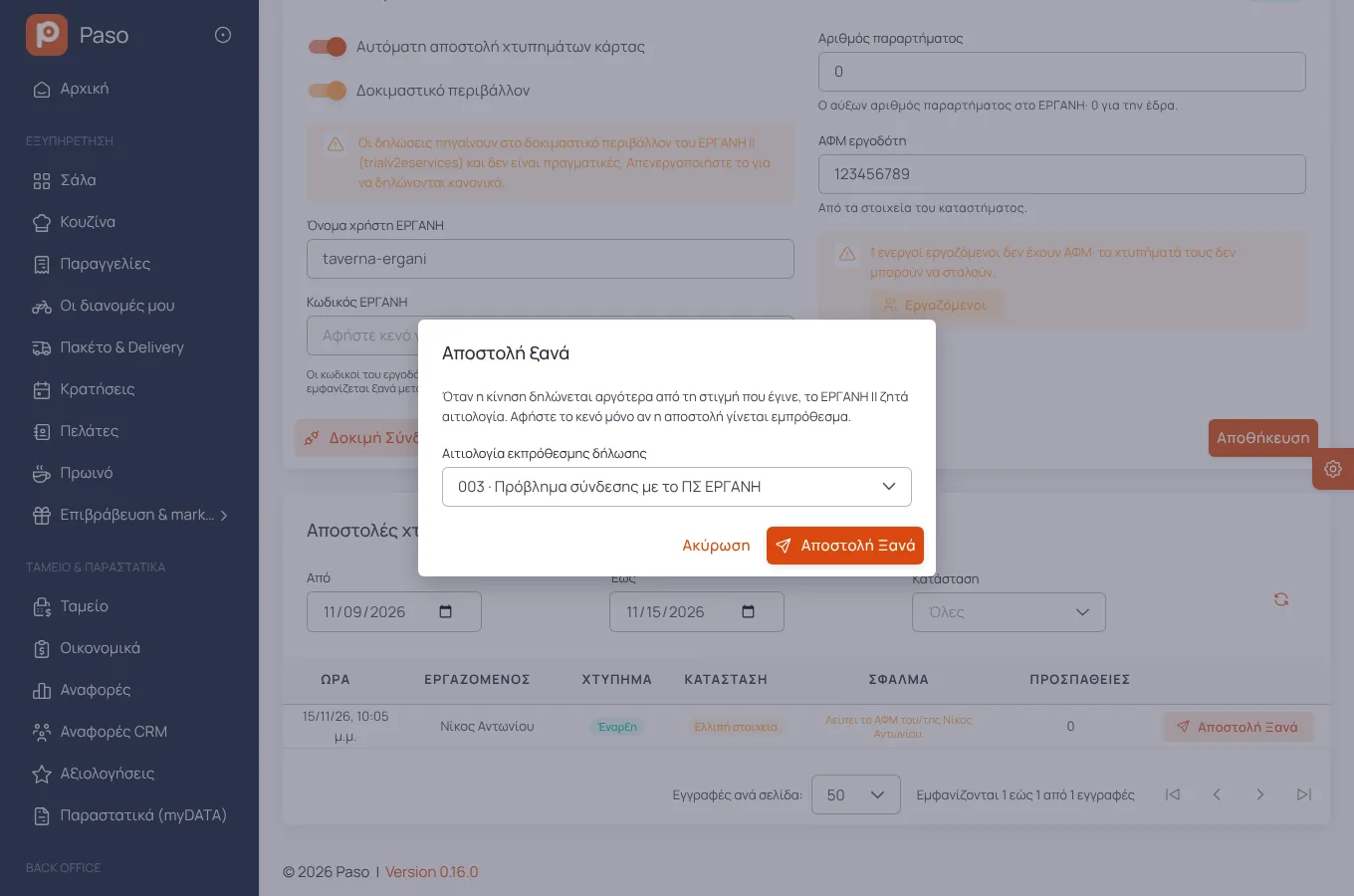
Every start and end is sent automatically to ERGANI II with the store's credentials, with retries and a control screen.
The manager approves the week's hours. After approval an entry changes only if the approval is lifted, which is logged with a reason.
Requests for leave, unavailability and shift swaps from "My shifts", with a manager's approval where you want it.
Getting started
Position, contracted hours, hourly cost.
By hand, by copying or with the suggestion.
The schedule before, the hours after.
New
A screen recording of the app, with demo data.
Screens
Screenshots from a demo store.
Frequently asked
You can set an automatic clock-out after N hours. Sending it to ERGANI is a separate choice and stays off unless you turn it on, because the employee did not make that card hit.
No. Hourly cost and budget are visible only to whoever manages the staff.
Enter your menu (or take a photo of your printed price list) and run a real day on Paso. 14 days free.